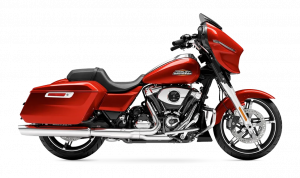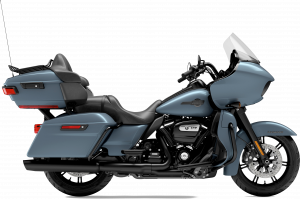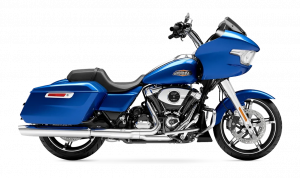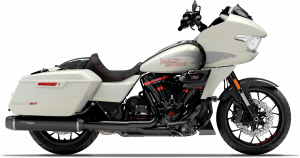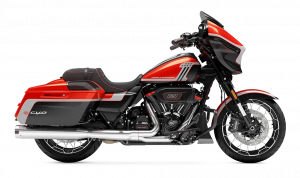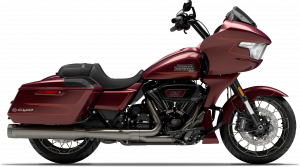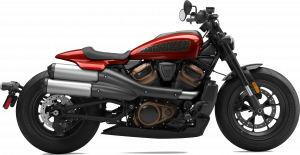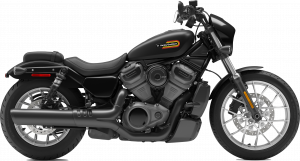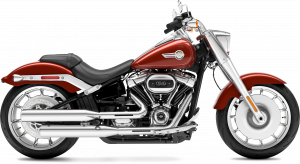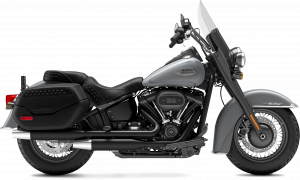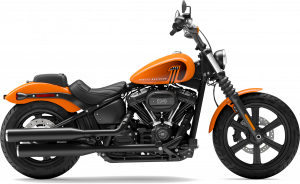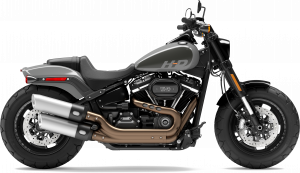
At National City Harley-Davidson, we’re more than just a dealership — we’re your one-stop shop for everything Harley in National City, Chula Vista, Lincoln Acres, and Bonita. From bike sales to expert service, genuine parts, and performance upgrades, our team is here to help you get the most out of your ride. Whether you’re looking to customize your Street Glide, Breakout, or Fat Boy 114, our technicians and sales specialists are ready to guide you every step of the way. Call us today or stop by to see why we’re the go-to Harley destination in the greater San Diego area. This guide walks you through the step-by-step process of installing a Harley Stage 2 upgrade — from preparation to tuning — so you can boost power, torque, and overall performance with confidence. We’ll cover the essential tools, parts, and procedures you’ll need, as well as what to watch out for during your Harley Stage 2 install. Whether you plan to tackle the job yourself or have it done by the pros at National City Harley-Davidson, this article gives you the clear roadmap you need to make your Stage 2 upgrade a success.
Prepare Your Workspace, Gather Your Harley Stage 2 Kit, Tools, and Safety Gear
Before you start your Harley Stage 2 upgrade, set yourself up for success. A clean and organized workspace makes the job faster and safer. Choose a well-lit area with enough room to move around your bike. For many riders in National City and Chula Vista, a garage or driveway works fine. You’ll also need your Stage 2 kit, the right tools, and safety gear. Keep them close so you’re not hunting for parts mid-job. Common tools and items include:
- Harley Stage 2 kit (specific to your model, like the Street Glide)
- Basic hand tools (wrenches, sockets, screwdrivers)
- Torque wrench
- Cam bearing removal and install tools
- Adjustable pushrod tools
- ECU tuner for the upgrade
- Assembly lube and clean shop rags
Safety gear to have ready:
- Safety glasses
- Mechanic gloves
- Work boots with non-slip soles
Make sure all parts in your kit are present and in good shape before you start. Check your service manual for any extra tools you might need for your model. A little time spent in prep will save hours later.
Disconnect the Battery and Secure the Motorcycle
Before you turn a wrench, disconnect the battery. This protects you and your bike from short circuits. Always remove the negative cable first, then the positive. This simple step can prevent damage that could add to your Harley Stage 2 upgrade cost. A stable bike is a safe bike. Make sure your Breakout or any other Harley model is secure before you start work. A motorcycle lift or sturdy stand works best. If you do not have one, use the kickstand on level ground and block the wheels to keep the bike from rolling. Steps to follow:
- Turn off the ignition and remove the key
- Remove the seat to reach the battery
- Disconnect the negative cable, then the positive cable
- Place cables where they will not touch metal
- Secure the bike on a lift, stand, or with wheel blocks
A safe start ensures your upgrade goes smooth from the first step.
Remove Seat, Tank, Exhaust, Air Cleaner, and Necessary Covers
With the bike secure and the battery disconnected, you can begin removing parts that block access to the engine. Take your time here. Keeping parts organized will make reassembly much easier later. The Harley Stage 2 kit will require room to work around the cam chest and intake system. On some models, like the Fat Boy 114, this means removing larger parts for clearance. Start with the seat and tank:
- Remove the seat bolts and lift the seat free
- Turn off the fuel valve (if equipped)
- Disconnect the fuel line and any sensor plugs
- Remove the bolts and lift the tank clear of the frame
Next, remove the exhaust system:
- Loosen and remove heat shields
- Unbolt the mufflers and header pipes
- Support the exhaust as you slide it free
Then, remove the air cleaner and covers:
- Remove the air cleaner cover and element
- Unbolt the backing plate from the throttle body
- Take off any cam or primary covers as needed for access
Work in a clean area so you can lay out removed parts in order. This will save you time when it’s time to rebuild.
Remove Chain, Tensioner, Cam Support Plate, and Stock Cam
Once the timing marks are aligned, you can remove the cam drive parts. This step opens the way for the new Harley Davidson Stage 2 upgrade. On models like the Breakout, this work requires care to avoid damage to the cam chest. Steps to remove parts:
- Remove the cam chain tensioner bolts and slide the tensioner out
- Lift the cam chain clear of the sprockets
- Unbolt the cam support plate in a crisscross pattern to prevent warping
- Pull the cam support plate free from the engine
- Carefully remove the stock camshaft from its bearing
Tips for safe removal:
- Keep the chain, bolts, and small parts in labeled containers
- Do not force parts free; use gentle pressure and correct tools
- Check the condition of the inner cam bearing before moving forward
Removing these parts clears the way for your new camshaft and the rest of the Stage 2 install.
Replace Inner Cam Bearing and Install New Stage 2 Camshaft
With the old cam removed, check the inner cam bearing for wear. If it feels rough or shows damage, replace it before moving on. This is a key part of any Harley Stage 2 install, whether it’s on a Fat Boy 114 or another model. Steps to replace the inner cam bearing:
- Use a cam bearing removal tool to pull the old bearing
- Clean the bearing bore with a lint-free rag
- Apply light oil to the new bearing
- Use a cam bearing installer tool to press the new bearing in place
Lubricating and installing the new camshaft:
- Coat the camshaft lobes and journals with assembly lube
- Slide the camshaft into the bearing carefully
- Make sure it seats fully without forcing it
- Rotate by hand to confirm smooth movement
Proper lubrication here prevents wear during the first startup. Take your time, as this step sets the foundation for the rest of the upgrade.
Reassemble Cam Cover, Tubes, Intake, Exhaust, and Tank
Once the new cam is in place, it’s time to put your Harley Stage 2 upgrade back together. This step takes patience, especially on models like the Street Glide where space can be tight. Steps for reassembly:
- Install the cam cover with a fresh gasket
- Tighten bolts in a crisscross pattern to avoid leaks
- Reattach pushrod tubes and confirm proper seating
- Install the intake and air cleaner assembly
- Bolt the exhaust system back in place and secure all clamps
- Reinstall the fuel tank, reconnect fuel lines, and secure bolts
- Mount the seat back on and tighten all hardware
Tips for best results:
- Use new gaskets where possible to prevent leaks
- Check all fasteners for correct torque
- Make sure cables, hoses, and wires are routed as before
Reassembly is your last major hands-on step. Take your time so your bike is road-ready when the upgrade is complete.
Prime Oil, Start Engine, and Check for Leaks or Abnormal Noises
With everything bolted back together, you’re ready for the final checks. This step protects your investment, whether it’s on a Breakout or any other model. Skipping it could lead to costly repairs that far exceed the Harley Stage 2 upgrade cost. Prime the oil system:
- Remove the spark plugs to prevent compression
- Crank the engine for a few seconds to circulate oil
- Confirm oil light turns off before proceeding
Start the engine:
- Reinstall spark plugs and wires
- Start the engine and let it idle
- Listen for knocks, ticks, or grinding noises
Inspect for leaks:
- Check around the cam cover, oil lines, and gaskets
- Look under the bike for fresh drips
- Shut down the engine and tighten any loose bolts
Once it passes these checks, your upgrade is complete. A test ride will confirm the bike runs smooth and strong.
Take a Short Test Ride and Verify Performance
With all work complete, it’s time to take a short test ride and verify performance. This step confirms the upgrade is working as intended and your Street Glide or other bike is running smooth. Before you ride:
- Check tire pressure and brake function
- Make sure all lights work
- Verify oil and fuel levels
During the ride:
- Keep speeds low at first
- Listen for unusual noises
- Feel for smooth throttle and steady power delivery
After the ride:
- Inspect for any fresh leaks
- Check fasteners to ensure nothing has loosened
- Confirm that idle and acceleration feel normal
This first ride is not about speed. It’s about making sure your work was done right and your bike is ready for the road.
Stage 2 Upgrade – Quick FAQs
If you’re considering a Stage 2 upgrade, you probably have a few key questions before getting started. The answers below will give you a fast, clear overview so you can decide on the best approach for your bike.
What tools do I need to install a Stage 2 upgrade on my Harley?
- Basic hand tools, torque wrench, specialty cam tools, and safety gear.
Can I install a Stage 2 kit myself, or should I go to a dealership?
- It can be DIY, but a dealership ensures correct install and warranty protection.
What are the key steps involved in a Stage 2 installation?
- Disassembly, cam swap, reassembly, oil prime, and performance check.
How long does it take to complete a Stage 2 upgrade?
- Typically 6–8 hours for an experienced technician.
Do I need to remove the engine for a Stage 2 install?
- No, the engine stays in the frame for this upgrade.
A Stage 2 upgrade can be a rewarding performance boost when done right. These quick answers will help you plan your next step with confidence.
Your Next Ride Starts Here
National City Harley Davidson welcomes riders from National City, Chula Vista, Lincoln Acres, and Bonita. We offer a wide range of bikes, including the Street Glide, Breakout, and Fat Boy 114. Our team is here to help you find the right fit, whether you ride daily or only on weekends. If you are looking for ways to boost your bike’s power, explore our tips on Stage 1 benefits. Riders planning a bigger build may like our guide on touring bike upgrades. And if you just want to enjoy the road, we share our top San Diego rides to help you plan the perfect trip. Come by our showroom or browse online. The road ahead starts with the right bike and the right team.
Get Directions to National City Harley Davidson
Disclaimer: All information is provided for general informational and entertainment purposes only. While we strive for accuracy, we cannot guarantee that all content is complete, current, or error-free. Any reliance you place on such information is strictly at your own risk. This article may include opinions and is not endorsed by, or officially affiliated with, any vehicle manufacturer or brand. Always consult official sources – such as the vehicle’s owner’s manual, authorized dealerships, or certified professionals – for the most up-to-date and personalized information.